How to Use Readlang Mobile
Follow these simple steps to start translating words and phrases.
Instruction
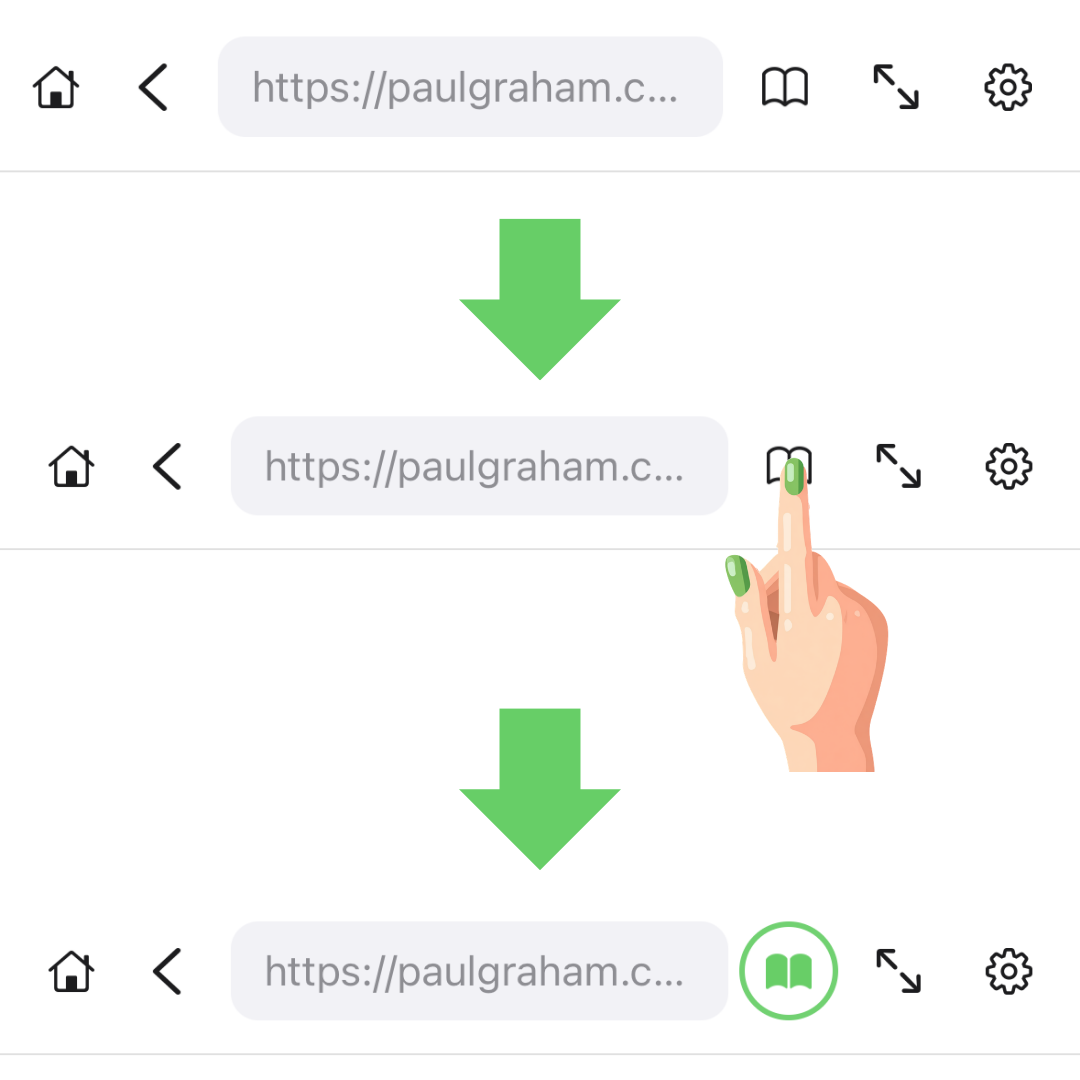
Step 1: Activate Reading Mode
Tap the book icon in the toolbar to enable translation mode.
Instruction
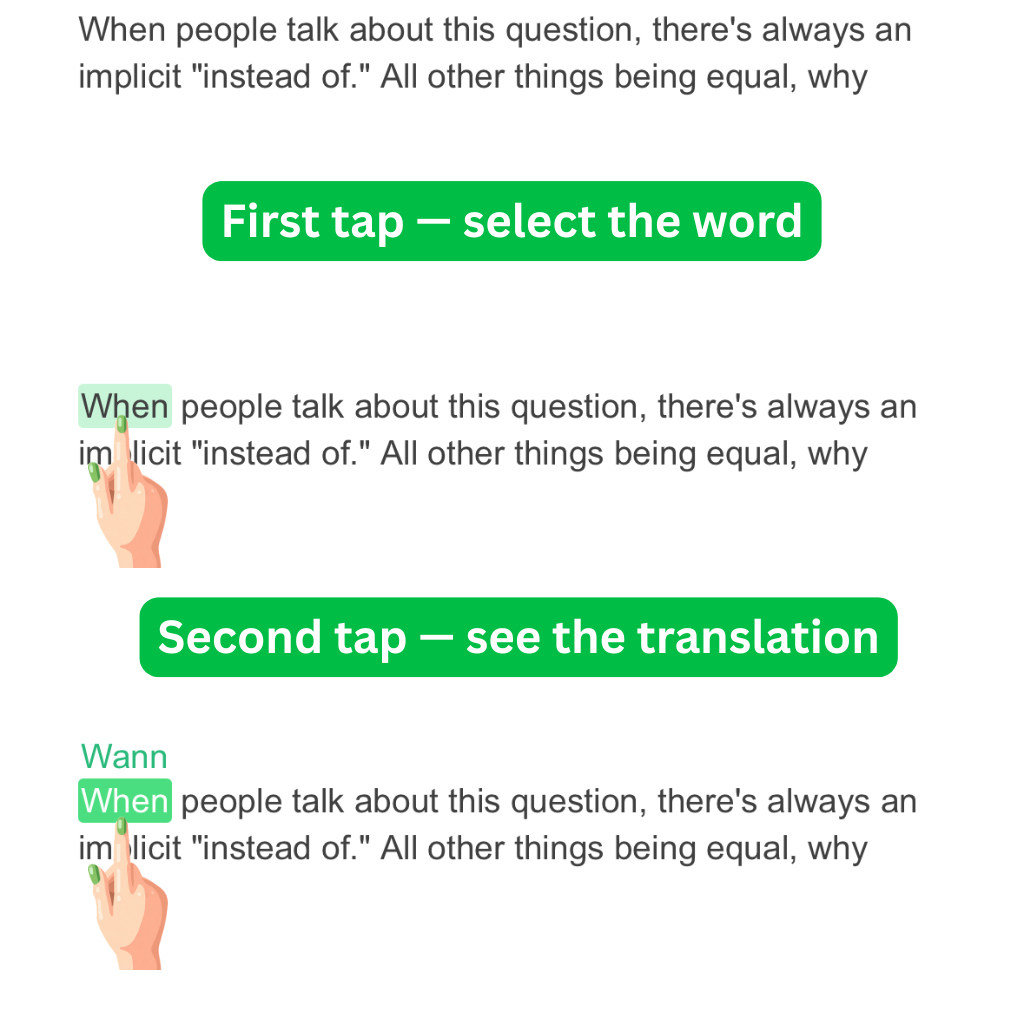
Step 2: Translate Single Words
Tap once to select a word, tap again to see the translation.
Try it here
The beautiful sunset painted the sky with vibrant colors of orange and purple.
Instruction
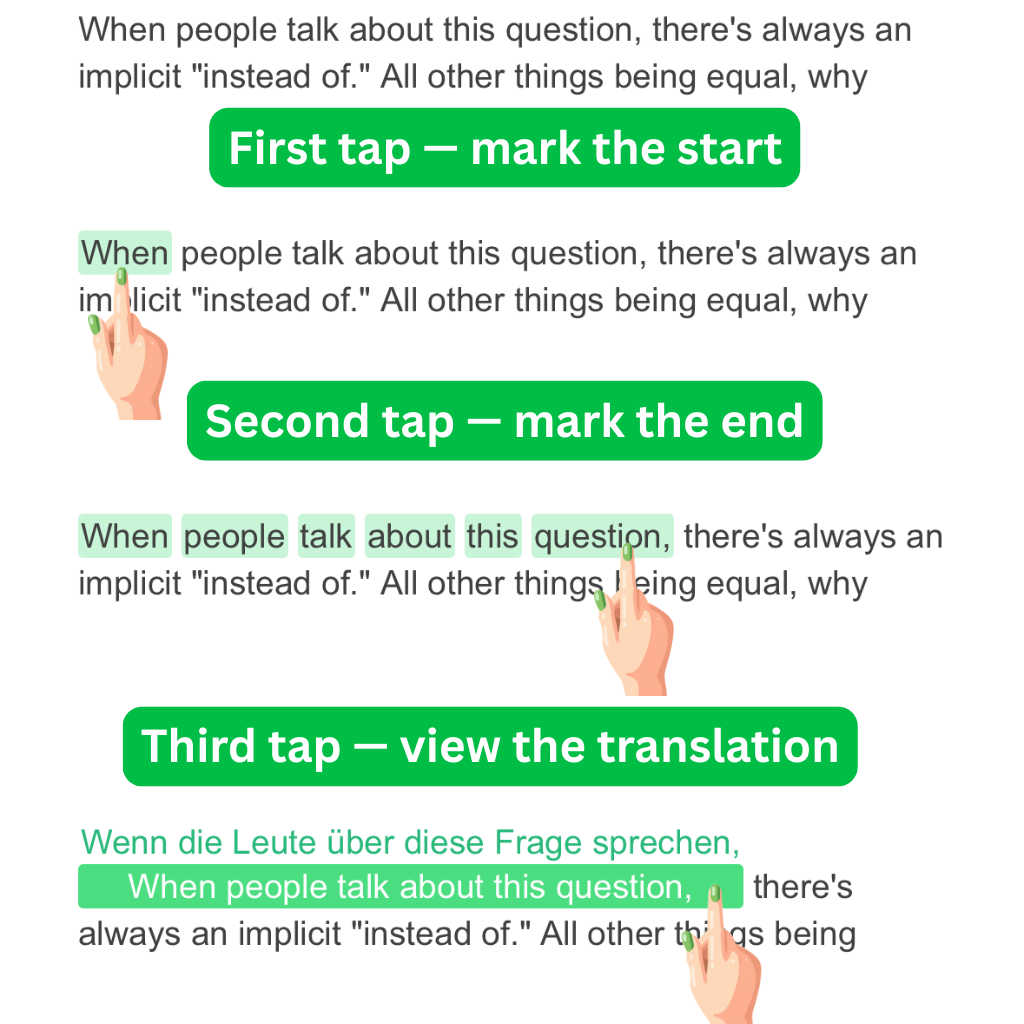
Step 3: Translate Phrases
Tap to mark the start, tap to mark the end, then tap again to translate the entire phrase.
Try it here
Learning a new language opens doors to different cultures and helps you connect with people from around the world.
Try it now! Tap any word on this page (outside the images) to test the translation feature.